Use @mentions to get someone’s attention in Outlook 2016

If you’d like to get someone’s attention in an email message or a meeting invite, you can type the @ symbol, followed by their name in the body of the email message or a meeting invite. If you do…
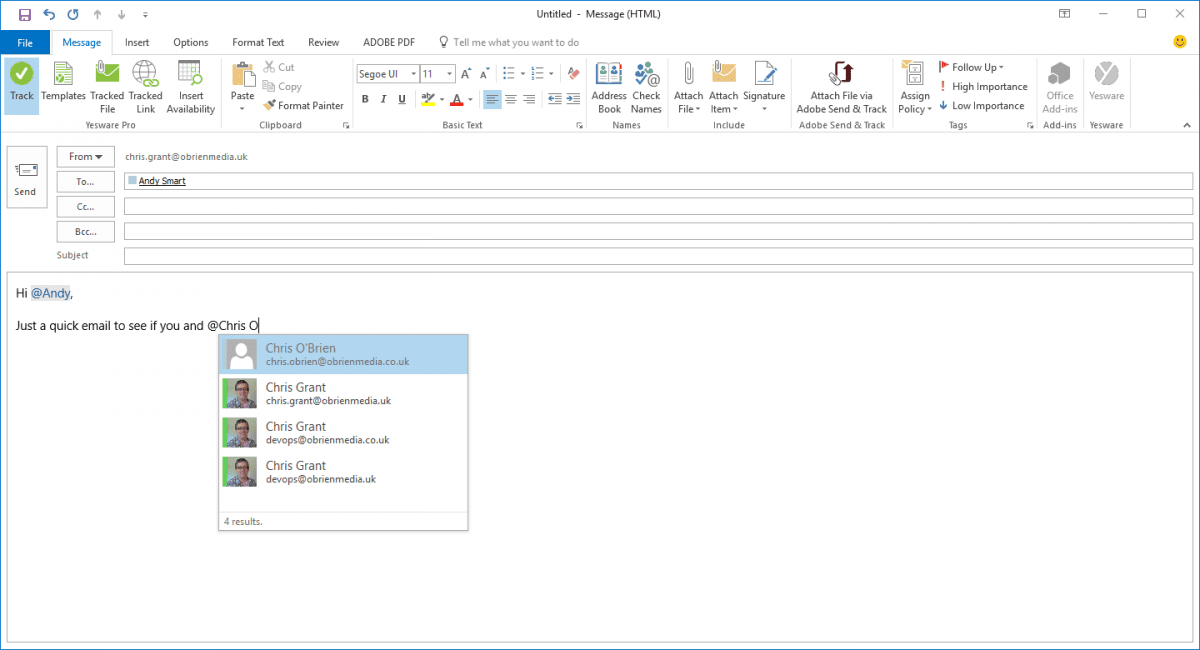
If you’d like to get someone’s attention in an email message or a meeting invite, you can type the @ symbol, followed by their name in the body of the email message or a meeting invite. If you do, not only will their name be highlighted in the message body or invite details, but Outlook will automatically add them to the To line of the email or meeting invite, and they’ll see the @ symbol next to the message in their inbox.